Sunday, 17 February 2013


Gameplay Structure (Flowchart)


This is a simple gameplay structure for the first level which introduces to the player the main layouts of the game. The rest of the levels have the same gameplay structure.


Main Layouts of the Game
Designs
 
Main Menu
 
After the game is loaded, the main menu appears on the display. It proposes to the player three options to choose: the setting, sharing and play buttons. The setting button incorporates information such as brief overview about the game and sound settings where the player can mute the sound. The sharing button allows to the player to share the game on Facebook and Twitter or loads the trailer of the game in You Tube. The play button loads the level menu where the player can choose the first level of the game or go back to the main menu.
Level Menu
 
 
Animation shot
 
 
This is an animation shot which points to the player the targeted location of the main character. 

Level 1
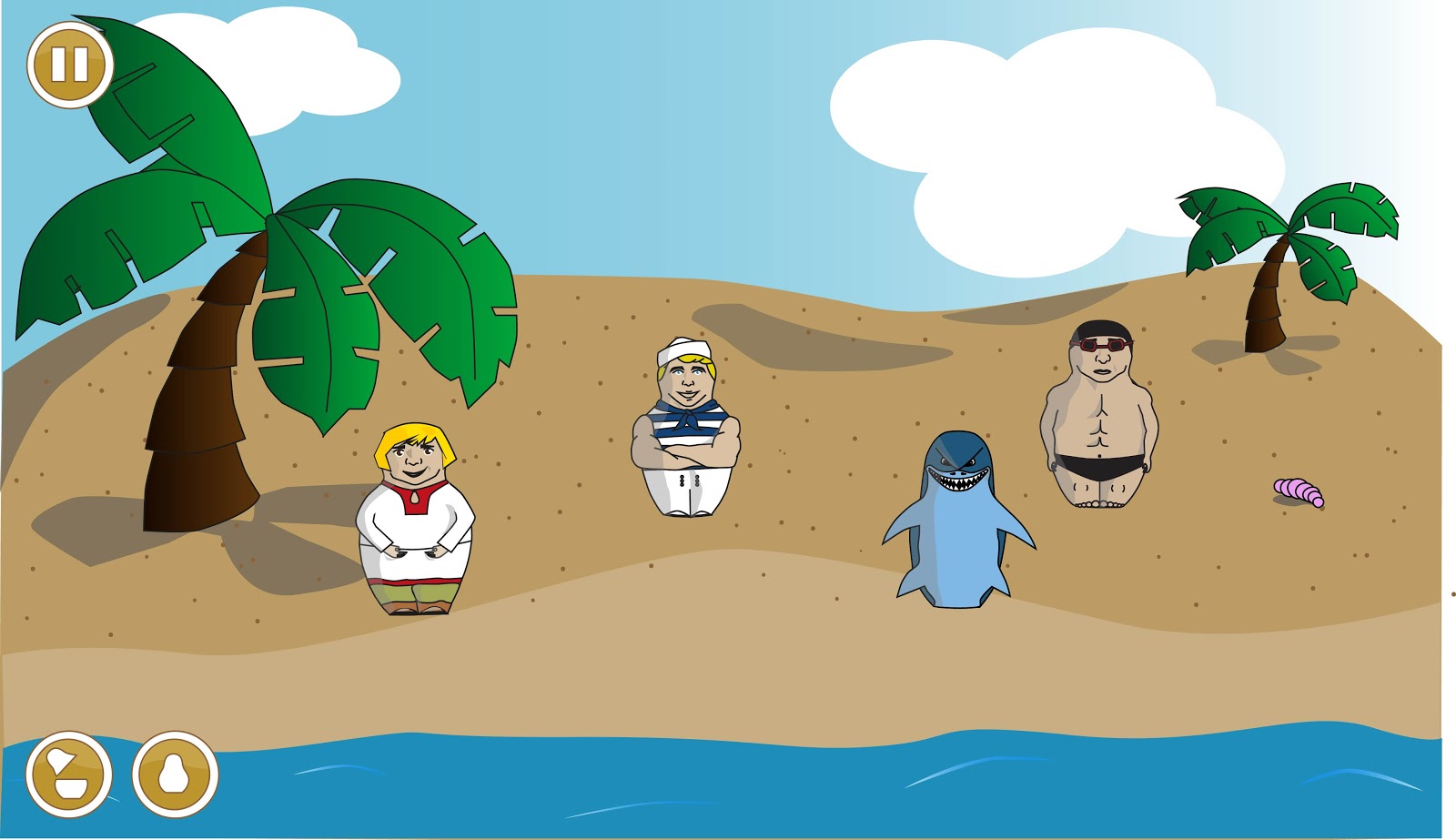
 
Once the first level is loaded, the player starts solving the puzzle of the game. The first level incorporates tree buttons: pause, stacking and unstacking buttons.  

Pause Menu
 
The pause button reveals a new layout of the game which allows to the player to replay the game, go back to the level menu, mute the sound or play the animation short which reveals to the player how to interact with Russian dolls. 
 
Level Cleared
 
If the level is cleared, the level cleared layout appears. It allows to the user to replay the level, go back to the level menu or starts the next level.
Level Failed
 
If the level is failed, the level failed layout appears on the screen. It allows to the player to replay the level or go back to the level menu.


Thursday, 7 February 2013

Adobe Director Coding
Interactive Animation


This is a screen shot of a Director file where I created my interactive animation. I used assets such as vector graphics and sound effects. I have designed the vector graphics in Adobe Illustrator and some of them I edited in Adobe Photoshop. The sound effect was downloaded from the Internet. I used Lingo script to create an interactive piece. It was not too easy to generate a code with Lingo script because I do not have enough experience with it. In my opinion, I relatively fast found solutions to the coding problems because of my experience in other programming languages which I gained at university and self-studying. I have used global variables, if statements and timer in my script. I have, also, learned new methods in Lingo such as intersects and point(). Now, I feel more confident in coding in Director.

My interactive animation works only in one way where you can stack and unstack only particular dolls. It introduces the right way of taking decisions, which doll and when to stack and unstack in order to gain a full amount points in the first level.

At the end, I published the interactive piece as a Macintosh and Windows Projectors.

Sunday, 20 January 2013

From Sketch to Illustrator

Character design in Illustrator


Shark

Main character

Sailor

Swimmer
I created these characters in Illustrator, using my sketches. I am going to use the background,below, for my short animation. I created it, also, in Illustrator. I used this graphic design software as it creates vector graphics, which are scalable and can be used for future projects.

Background

Mood-board 
These images helped me to design the background and characters of my mobile game. I used similar colouring techniques in Illustrator such as black outline, shading effects, gradient colour and just colour. I did not use any combinations of special textures such as Mosaic Tiles, Grain or Stained Glass.

Monday, 14 January 2013

Designs of dolls

Here are designs of Russian dolls for the first level of the game. The main character has to decide which of these he will use in order to pass the level. The order of stacking is very important as when the main character leaves the island, he couldn't be able to change it. I you want to change the size of the doll, you have to tap on it.

Swimmer

Sailor


Shark


Mood-board


These images helped me to design a swimmer, sailor and shark dolls.

Sunday, 13 January 2013

Dipity Timeline

Mood-boards

Mood-board 1

This images helped me to create a 2D environment of the game.

Mood-board 2
This menus from different mobile games helped me develop my own menu. 


Designs

These are sketches of the first level of my mobile game. The location of Matrioshka, the main character, will be on the biggest island. His aim is to reach the shore, using abilities of other Russian dolls on the island. The main character will have the opportunity to explore the island. He has the ability to stack into larger dolls and unstack respectively. The order of stacking is very important. When the main character leaves the island, the order cannot be changed. Once unstack, Matrioshka looses a particular ability. The threat is a sharp in the sea and having fewer points. The game emphasizes on decision making skills and strategy. There are multiple solutions for each level, which give you different points. Bublik gives extra points to the player. It is a traditional Russian  bread roll very similar to bagels.

Design of level 1

Island Design

 Boat Design

Palm Design
I have designed separately some objects of the first level in order to colour them in Photoshop and then, make them part of one background.

Menu Planning

 Mind-map 
This is a mind-map of possible intuitive symbols which can be part of the game navigation menu. I chose intuitive symbols rather than text as they conserve a space, readable across different cultures and easy to learn.

These are plans of symbols arrangement on the screen. The first one is based on Angry Birds navigation menu. The second one has a text based menu similar to the menu from the game Cut the Rope.

Plan 1

 Plan 2